
Download BiodyConnect APK – bioelectrical impedance analysis, body composition, fitness tracking, health monitoring, wellness tracking, Aminogram devices, Bluetooth synchronization, health app, fitness app, wellness app, biodyconnect, biodyxpertz, biodylifez, biodycoachz
Overview
BiodyConnect is a professional-grade health and fitness application developed by Aminogram for Android devices. Designed to support healthcare professionals, wellness experts, and fitness enthusiasts, the app enables seamless Bluetooth® synchronization with Aminogram’s bioelectrical impedance analysis (BIA) devices, including the BIODYXPERTZMII, BIODYLIFEZM, and BIODYCOACHZM. The app serves as a digital companion to these specialized devices, allowing users to track and analyze body composition metrics such as fat mass, lean mass, water content, and muscle distribution. It is intended for individuals who are monitored by certified professionals or those who have acquired a device and a valid user license. BiodyConnect replaces the former Biody Control app, offering an updated interface and improved functionality for both professionals and personal users. The app is particularly useful in clinical, fitness training, and personal wellness environments where accurate, consistent body composition tracking is essential. It supports long-term health monitoring by storing historical data and enabling trend analysis. The developer did not provide additional details about the app’s background or organizational structure beyond its association with Aminogram. The app is available at no cost through Google Play and was released on October 26, 2023.Key Features & Capabilities
- Bluetooth® Synchronization with Aminogram Devices – BiodyConnect enables secure, real-time data transfer between the app and supported BIA devices, ensuring accurate and up-to-date body composition readings.
- Body Composition Tracking – Users can monitor key metrics including fat percentage, lean mass, visceral fat, bone mass, and total body water, which are critical for health and fitness assessments.
- Professional and Personal User Access – The app supports both licensed professionals and individuals with access rights granted by a professional, ensuring appropriate data privacy and control.
- Data History and Trend Analysis – Historical data is stored within the app, allowing users to visualize progress over time and identify patterns in body composition changes.
- Device Compatibility – Specifically designed for use with the BIODYXPERTZMII, BIODYLIFEZM, and BIODYCOACHZM models, ensuring optimized performance and accuracy.
User Interface, Workflow & Performance
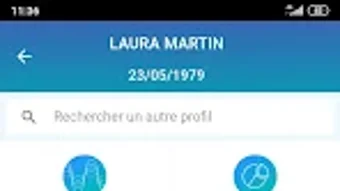
BiodyConnect features a clean, intuitive interface optimized for Android devices, prioritizing ease of navigation and readability. The layout is structured around core functions: device connection, data viewing, historical tracking, and user settings. Navigation is straightforward, with clearly labeled menus and visual indicators for device status and data availability. The workflow begins with establishing a Bluetooth® connection to a compatible Aminogram device, followed by initiating a body composition scan. Results are displayed in a clear dashboard format, with graphical representations of key metrics. Users can save multiple profiles and switch between them with minimal effort. The app maintains a responsive interface during data transfer and display, though exact performance details were not specified. The developer did not provide information on CPU or RAM usage, nor on stability under prolonged use. General software behavior suggests smooth operation on modern Android devices with Bluetooth 4.0 or higher. The app does not require constant internet access for core functions, supporting offline data collection and storage.Compatibility & System Requirements
BiodyConnect is designed for Android operating systems and is available as a free download through Google Play. The app has a file size of 24.6 MB, indicating a lightweight footprint suitable for most modern Android smartphones and tablets. It is compatible with devices that support Bluetooth® 4.0 or later and have access to the Google Play Store. The developer did not specify minimum Android version requirements or hardware specifications such as RAM or processor type. Compatibility information was partially provided, and exact system requirements were not listed. Users should ensure their device supports Bluetooth® connectivity and has sufficient storage space for the app and its data. The app does not appear to be available on other platforms such as iOS or desktop systems. Installation is straightforward, and the app integrates with the Android system’s permissions model for device access and data storage.Pros and Cons
Pros
- Free to download and use, with no hidden in-app purchases
- Seamless Bluetooth® synchronization with Aminogram’s BIA devices
- Intuitive interface suitable for both professionals and non-technical users
- Supports long-term tracking of body composition metrics
- Designed specifically for high-accuracy bioelectrical impedance analysis devices
Cons
- Requires a compatible Aminogram device and user license to function
- Not available on iOS or desktop platforms
- Limited to Android devices with Bluetooth 4.0 or higher
- Exact performance and resource usage details were not provided
- Functionality is restricted to users with access rights or professional licensing
FAQ Section
Is BiodyConnect compatible with iOS devices?
BiodyConnect is currently available only for Android devices. There is no official iOS version available at this time.
Do I need a license to use BiodyConnect?
Yes, access to the app requires either a user license or access rights activated by a certified professional. The app is not intended for general public use without proper authorization.
Can I use BiodyConnect without a Bluetooth® device?
No. BiodyConnect is designed to work exclusively with Aminogram’s bioelectrical impedance analysis devices. The app cannot function without a compatible device connected via Bluetooth®.
Is BiodyConnect secure and private?
The app uses standard Bluetooth® encryption for data transmission. However, specific security protocols and data storage practices were not detailed by the developer.
How often should I update BiodyConnect?
Updates are released through the Google Play Store. It is recommended to keep the app updated to ensure compatibility with devices and to receive any performance improvements or bug fixes.





.png)

